
How to Install JBoss Tools Eclipse Plugin
The tutorial below details the steps to install JBoss Tools Eclipse Plugin.
Note-Hibernate Tools, which is now a part of JBoss Tools, gets installed along with JBoss Tools with no extra setup required.
Note 2- This tutorial is created using Eclipse Junohow-to-install-jboss-tools-eclipse-plugin/how-to-install-jboss-tools-eclipse-plugin/
Note-Hibernate Tools, which is now a part of JBoss Tools, gets installed along with JBoss Tools with no extra setup required.
Note 2- This tutorial is created using Eclipse Junohow-to-install-jboss-tools-eclipse-plugin/how-to-install-jboss-tools-eclipse-plugin/
Step 1 - Click on “Help>Eclipse Marketplace”
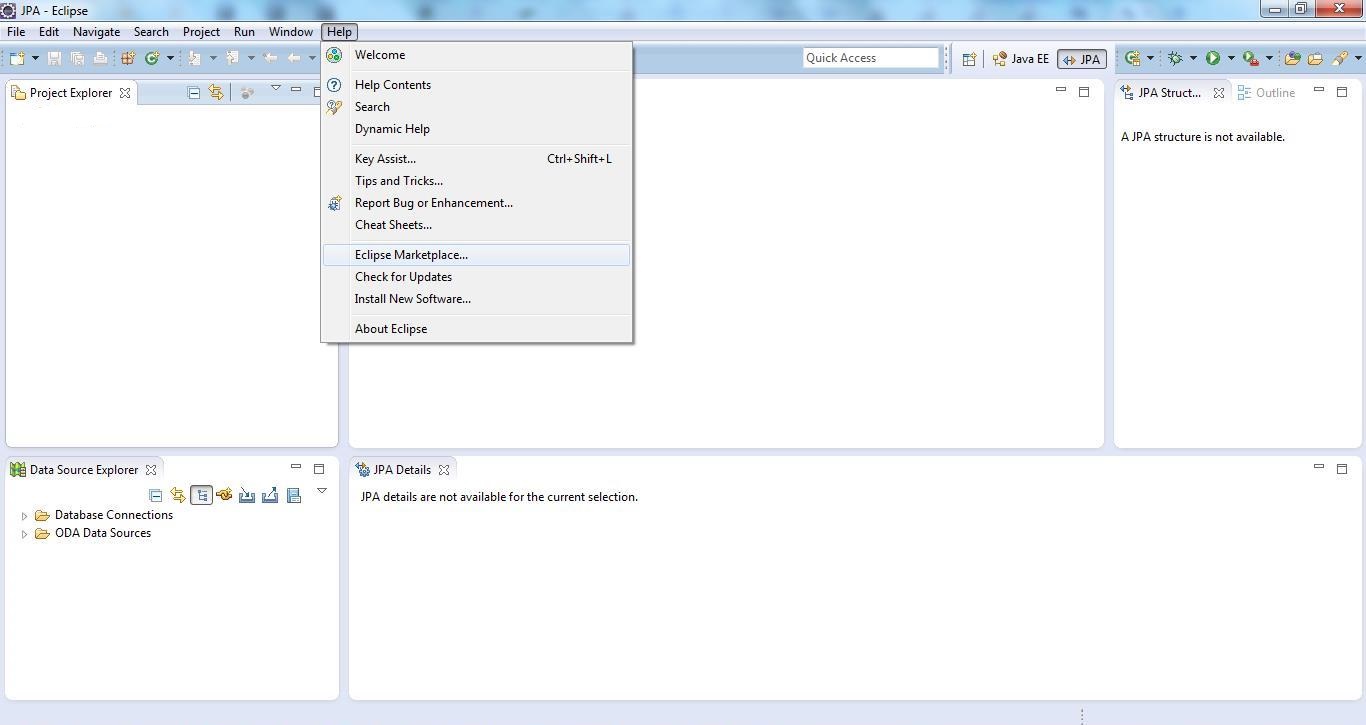
Step 2 - Search “Eclipse Marketplace” using the search term “JBoss Tools” in the textbox labelled “Find” as shown below -
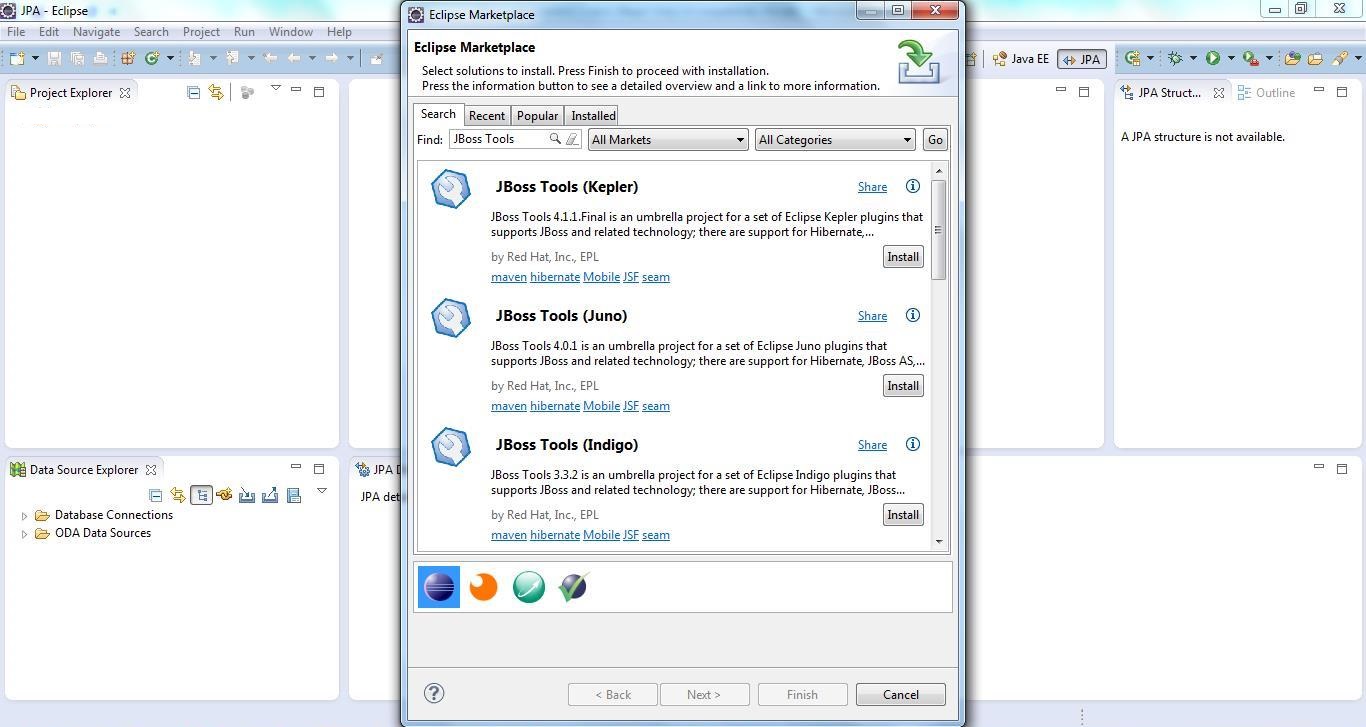
Step 3 - Click on “Install” Button Next to “JBoss Tools (<Your Version of Eclipse>)” – I had eclipse Juno so I clicked Install for “JBoss Tools(Juno)”. The following screen shows up –
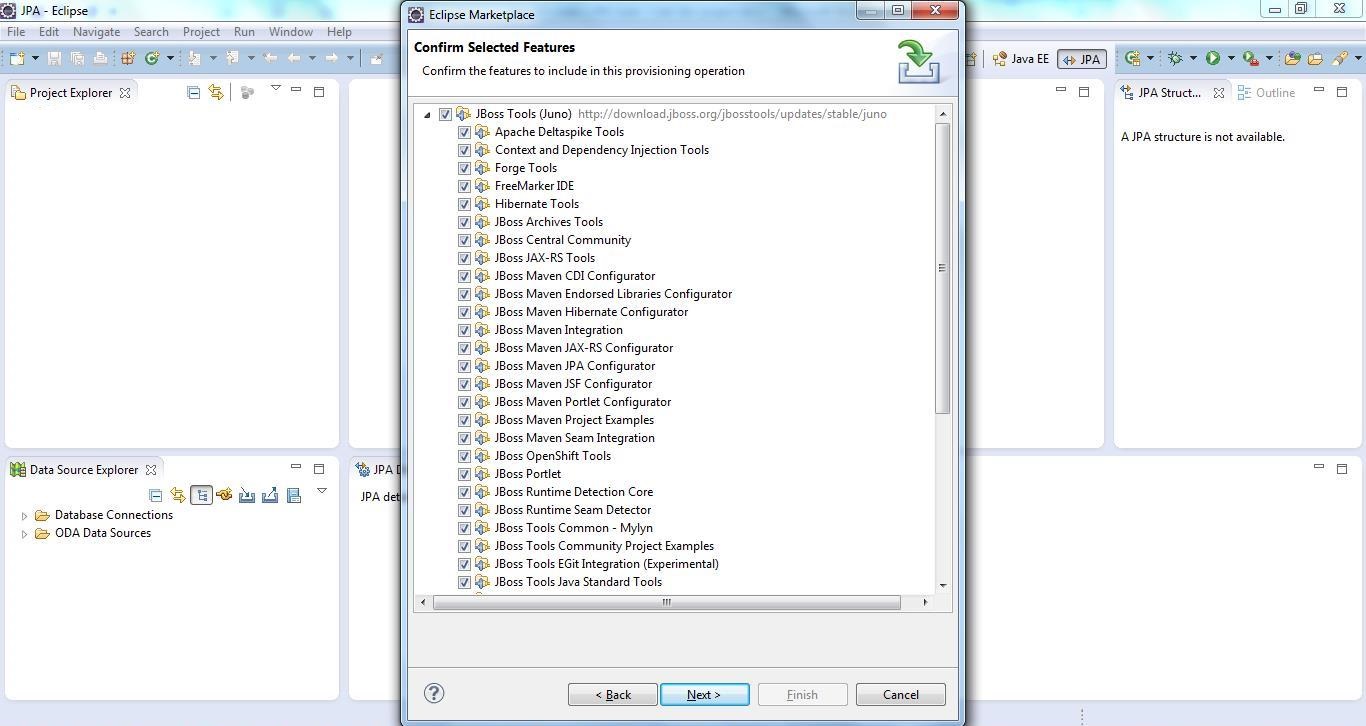
Step 4 - Click “Next”. The following “Review Licences” screen shows up as shown below -
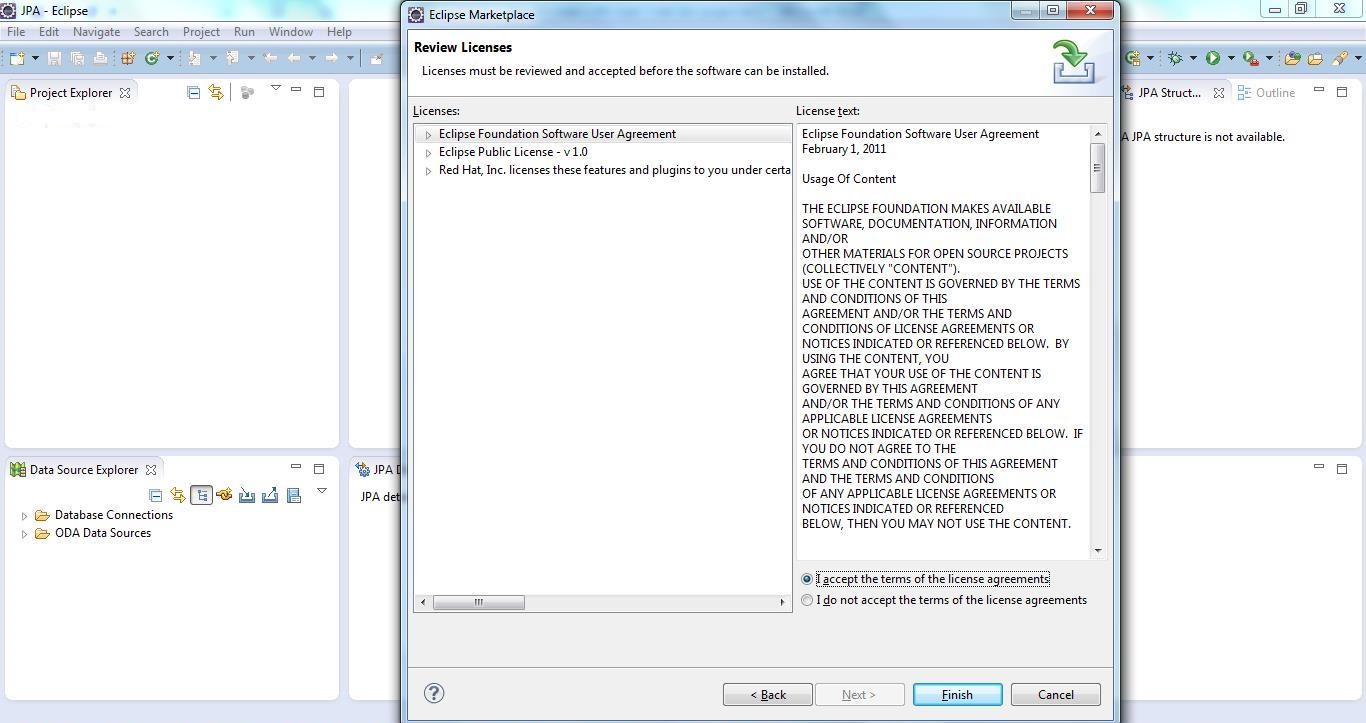
Accept the licence agreement and click “Finish”. It will take a few minutes to install the plugin. After the installation finishes it will prompt you for restart of Eclipse… do that… JBoss Tools Installation is completed.
Step 2 - Search “Eclipse Marketplace” using the search term “JBoss Tools” in the textbox labelled “Find” as shown below -
Step 4 - Click “Next”. The following “Review Licences” screen shows up as shown below -
Accept the licence agreement and click “Finish”. It will take a few minutes to install the plugin. After the installation finishes it will prompt you for restart of Eclipse… do that… JBoss Tools Installation is completed.